Space-Smart Storage Setup: 10-in-1 Digital Bundle
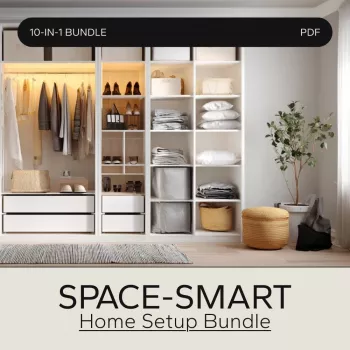
Space-Smart Home Setup Bundle: A Digital System for Maximizing Storage Without the Clutter
A space-smart home isn’t about owning less—it’s about giving every item a clear “home,” using vertical and hidden zones, and building simple routines that keep storage working day after day. This bundle is designed as a digital, step-by-step setup so small spaces, busy households, and “always-in-progress” rooms can become easier to maintain.
What “space-smart” really means (and why most storage fails)
Most storage systems don’t fail because you “need more bins.” They fail because the rules of the system are unclear, returning items takes too much effort, or the setup is too complicated to keep up with when life gets busy.
A space-smart setup prioritizes three things:
- Visibility for daily-use items: the things you reach for every day should be easy to see and easy to grab.
- Containment for small items: loose pieces create visual noise and migrate across surfaces unless they have boundaries.
- A reset routine: a storage system isn’t “done” once—it stays functional because you have a simple, repeatable reset that prevents pile-ups.
Maximizing storage is often a layout problem (traffic flow, landing zones, dead corners) more than a container problem. When a room has no obvious “drop” zone, the closest flat surface becomes the default.
Who this digital setup bundle fits best
- Small homes and apartments where every room needs to serve multiple purposes—living, working, entertaining, and storage.
- Families who need predictable drop zones for bags, shoes, papers, and devices (so clutter doesn’t spread room to room).
- Remote workers balancing work gear with everyday living space and trying to avoid the “office exploded” look.
- Anyone who prefers a guided plan rather than trial-and-error shopping for organizers that don’t quite fit.
How the 10-in-1 system helps reclaim space
The biggest win in a digital setup is the sequence. Instead of buying storage first, you follow a structured order: define categories → assign zones → choose containers → label → maintain. That order prevents the most common mistake: beautiful containers filled with random items.
The system also pushes you to use underused areas that add capacity without adding clutter:
- Door backs (hooks, slim racks, hanging organizers)
- Vertical wall space (shelving, rails, peg-style zones)
- Under-bed zones (seasonal items, extra linens, overflow storage)
- High shelves (backups, occasional-use gear)
- Furniture interiors (ottomans, benches, bed frames, credenzas)
Finally, it protects your results with routines: a quick daily reset, a weekly sweep, and a monthly mini-audit so clutter doesn’t rebuild in slow motion.
Space-Smart Setup Framework (Use This Order for Faster Results)
| Step | Goal | What to decide | Common mistake to avoid |
|---|---|---|---|
| 1. Measure & map | Know the true capacity of each zone | Key dimensions, shelf heights, door swing, walkway clearance | Buying organizers before measuring |
| 2. Category clarity | Reduce “miscellaneous” overflow | Primary categories and subcategories per room | Storing by “where it fits” instead of by category |
| 3. Assign zones | Make items easy to find and return | Daily-use at eye/hand level; backups higher or deeper | Putting frequently used items in hard-to-reach spots |
| 4. Contain & label | Keep boundaries for each category | Container type, label style, and limits for each zone | Overfilling containers so they become junk drawers |
| 5. Maintain | Stop clutter from rebuilding | Daily reset + weekly sweep + monthly review | Relying on motivation instead of a simple routine |
Room-by-room storage wins that compound over time
Entryway
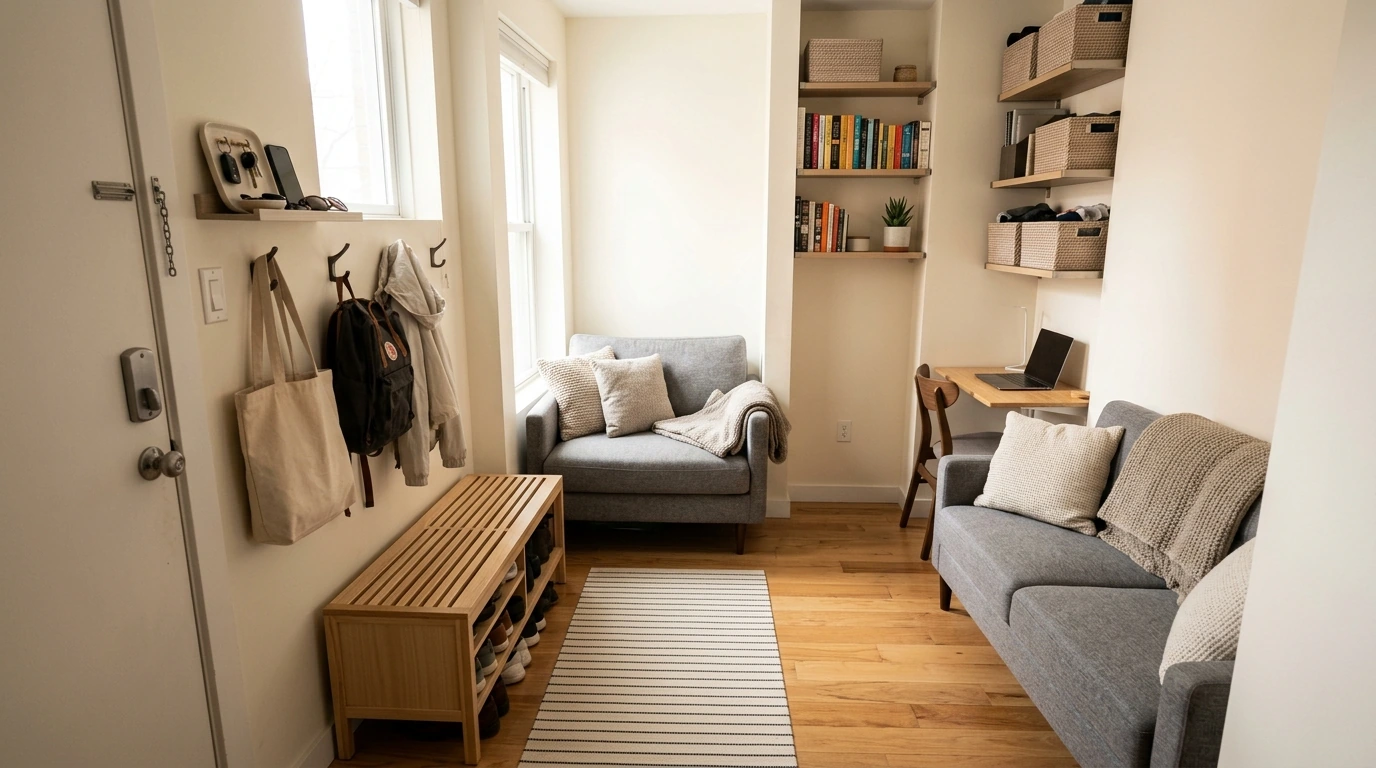
Create a landing strip for keys, mail, and devices. Then add two non-negotiable zones: a shoe zone and a bag hook zone. When those are clear and easy, the floor stops becoming the default storage area.
Kitchen
Keep a “daily cooking” zone near prep—oils, salt, utensils, and pans you use constantly. Push rarely used appliances to higher or deeper storage, and group pantry shelves by use-case (breakfast, snacks, cooking) so people can find what they need without creating a mess.
Living room
Add closed storage for small loose items (remotes, chargers, games) and use vertical shelving for books and media. If you need a quick compromise, keep a single “reset basket,” but give it a limit: it should empty during your weekly sweep.
Bedroom
Bathroom
Store by routine (morning, evening, guest) and keep backups separate so daily drawers stay calm. If you’re reorganizing, follow household surface guidance for safe cleaning practices from the CDC before restocking.
Smart-home habits that make storage feel effortless
If you’re adding smart plugs, hubs, or connected devices, review basic consumer IoT considerations from NIST, and consider energy-saving options supported by ENERGY STAR when upgrading home tech.
How to get the most from a digital download bundle
Common pitfalls (and quick fixes)
Recommended digital guides (in-stock)
- Space-Smart Home Setup Bundle – 10 in 1 Digital Download for Maximizing Storage Space
- Maximize Function, Minimize Clutter | Multifunctional Room Layouts eBook | Small Space Design Guide | Space-Saving Furniture & Smart Home Ideas
- One Room, Real Progress: A Simple Step-by-Step Guide for Stress-Free Home Organization
FAQ
Is this a physical product or a digital download?
This is a digital download delivered after purchase. You can use it on your phone/tablet or print only the pages you want for the zone you’re setting up.
How long does it take to see results in a small apartment?
A focused problem zone can show results in 1–2 hours. Many people can complete a full room over a weekend by starting with the biggest friction area and expanding from there.
Do new storage bins or furniture need to be purchased to use the system?
No—most people can start with what they already own by clarifying categories and assigning zones first. Measure and set category limits before buying anything new, then purchase only what fills a defined gap.





Leave a comment