RGB LED Video Light 220W Guide: Color, Mood, Consistency
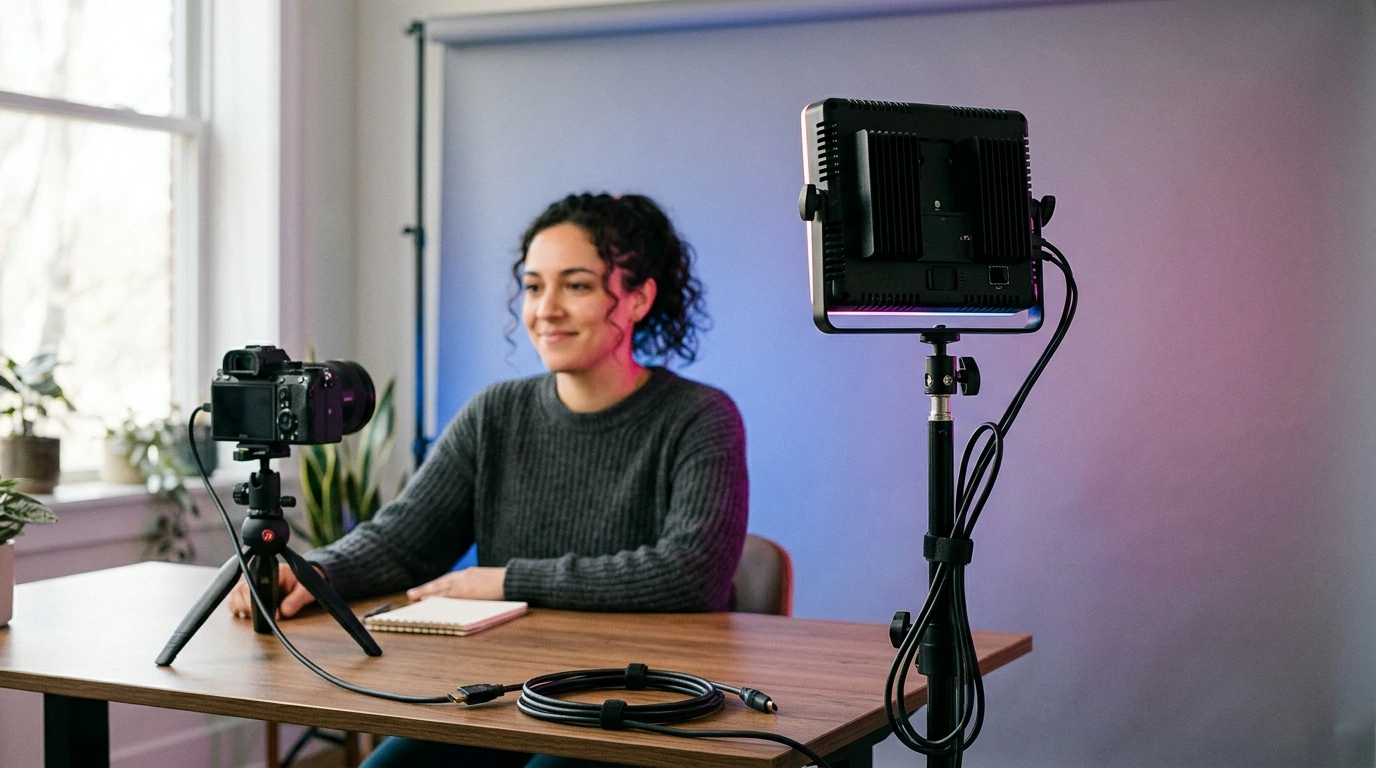
RGB LED Video Light 220W: Build Mood, Match Color, and Stay Consistent on Set
Color is a production tool. The right RGB light lets a product shot feel premium, a portrait feel cinematic, and a background shift from clean to dramatic in seconds—without rebuilding the whole setup. Our team built this guide around the RGB LED Video Light 220W for creators who want strong output plus precise color control for video, photography, livestreaming, and small studio work.
What this 220W RGB video light is made to solve
- Create repeatable looks: dial in color and brightness so scenes match across takes and shooting days.
- Move fast: change mood (warm, cool, saturated, subtle tint) without swapping gels or fixtures.
- Separate subject from background: add controlled color to the backdrop while keeping skin tones natural with a neutral key.
- Improve consistency on mixed-light sets: neutralize or complement ambient light instead of fighting it.
When you treat color as a controllable variable—not a happy accident—you can keep your edits tighter and your shoots calmer. If you want a deeper, standards-based view of how color is defined and managed, the CIE 1931 color space and SMPTE ACES are authoritative references used across imaging workflows.
Where an RGB light earns its spot in a kit
- Key light with character: use near-neutral whites for clean talking-head video, then add a hint of color for brand identity without overpowering the face.
- Rim/hair light: add a subtle colored edge to carve separation—especially useful against dark backgrounds.
- Background wash: paint a wall, seamless, or practical set with color gradients and controlled saturation.
- Product highlights: emphasize contours, metallic edges, or translucent materials with controlled color accents.
- Livestream and creator setups: keep a consistent look while adjusting for different times of day or room lighting.
If you’re setting up in a shared room (office by day, studio by night), pairing lighting with a repeatable layout helps. Our team often recommends keeping your “shoot zone” consistent—stand marks, cable paths, and a small gear station—so you spend more time recording and less time resetting. Two planning resources you can keep on hand are Maximize Function, Minimize Clutter | Multifunctional Room Layouts eBook and One Room, Real Progress: A Simple Step-by-Step Guide for Stress-Free Home Organization.
Simple lighting recipes that look intentional
- Clean studio look: neutral key + softer fill + gentle background wash (low saturation). Keep the subject’s key light neutral; push color mainly to the background.
- Cinematic contrast: neutral key from one side, colored rim from behind, and a darker fill. This creates depth without needing multiple colored keys.
- Two-tone backdrop: aim the RGB light at the background from an angle to create a gradient; keep saturation moderate so banding doesn’t dominate.
- Product hero shot: neutral top/side key + narrow colored edge. Use color as a highlight, not the main exposure, for a premium look.
Control and consistency: how to think about RGB on set
- Brightness first, color second: set exposure and shadow depth, then adjust hue/saturation to taste.
- Keep skin believable: when lighting people, prioritize neutral or lightly tinted key light; use color for the background, rim, or practical accents.
- Match other fixtures: keep one reference (your key) stable, then adjust other lights to complement rather than compete.
- Build a repeatable workflow: save a small set of “go-to” looks (clean, warm, cool, brand color, night neon) so setup time drops over time.
A simple habit that pays off: once you like a look, lock your light’s position (height, distance, and angle) and your camera’s exposure/white balance. Then make color changes in a controlled way—small hue moves, modest saturation changes—so you can always return to your “home base” look quickly.
Placement, distance, and modifiers: the fast way to change the look
Quick guide: choose a setup based on what you’re filming
Starter setups that deliver reliable results
| Goal | Light role | Suggested approach | Common pitfall to avoid |
|---|---|---|---|
| Natural skin tones | Key | Keep key neutral; add color elsewhere | Using heavy saturation on the key light |
| Cinematic depth | Rim/background | Colored rim + darker fill + controlled background wash | Spill washing out contrast |
| Brand-forward content | Background accent | Use brand hue on background at moderate saturation | Overpowering the subject with bright color |
| Premium product look | Accent edge | Neutral exposure + thin colored highlight for shape | Letting color become the main exposure |
Care, power habits, and shoot-day reliability
Add it to a workflow (not just a room)
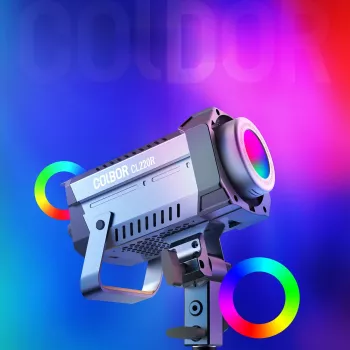
If you’re upgrading one piece at a time, a powerful RGB fixture like our RGB LED Video Light 220W can cover multiple roles—key, rim, and background—so you can standardize your look across different kinds of content without adding clutter.
FAQ
Is an RGB video light a good choice for filming people, or is it only for colored effects?
An RGB light works well for filming people when you keep the key light neutral or only lightly tinted, then use stronger color on the background or rim. This approach keeps skin tones believable while still giving you style and separation.
How do you get a smooth colored background instead of a bright hotspot?
Increase the light’s distance from the background, angle it across the surface to create a gradient, and add diffusion if you can. Lower saturation and brightness until the color looks even, and watch for spill that can flatten contrast.
What’s the easiest beginner setup with one RGB light?
Start with the light as a soft key using diffusion, set your exposure and white balance, then keep the key near neutral and add a subtle tint only if needed. If you already have decent ambient light on your face, use the RGB light primarily as a background wash for an instant “studio” look.



Leave a comment